
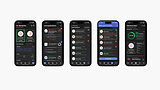
Insight, Job Searching Made Better
DATE
Winter, 2025
TEAM
Elizabeth Ridley, Sophia Levin, Holly Chisholm
DESIGN TYPE
Mobile Application Design
TOOLS
Illustrator, Figma, Notion
THE TASK
Design an original experience for a platform or device of your choice.
DELIVERABLES
Prototyped mobile application design; presentation package
THE PROBLEM TO SOLVE
Navigating the job market is more complex than ever. Job searching and applications are competitve, hard to manage, overwhelming, and time-consuming all while lacking clear guidelines and guidance. Job search platforms rarely address these challenges leaving consumers frustrated and uncertain.
OUR SOLUTION
Insight acts to solve job searching issues with:
1. Data-driven insights and comparison features
2. Streamlined job discovery
3. Open tracking of application progress.
Our result is an optimized job search experience which simplifies the application process to allow users to achieve career success.
TARGET AUDIENCE
Our platform primarily targets young adult job seekers who want to stay organized, competitive, and efficient in their job search.
Research
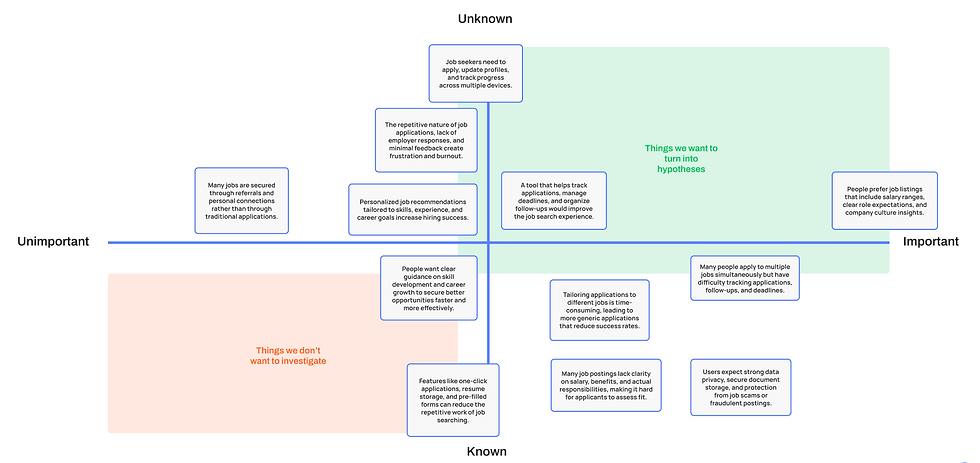
ASSUMPTION PRIORITIZATION


COMPETITOR ANALYSIS


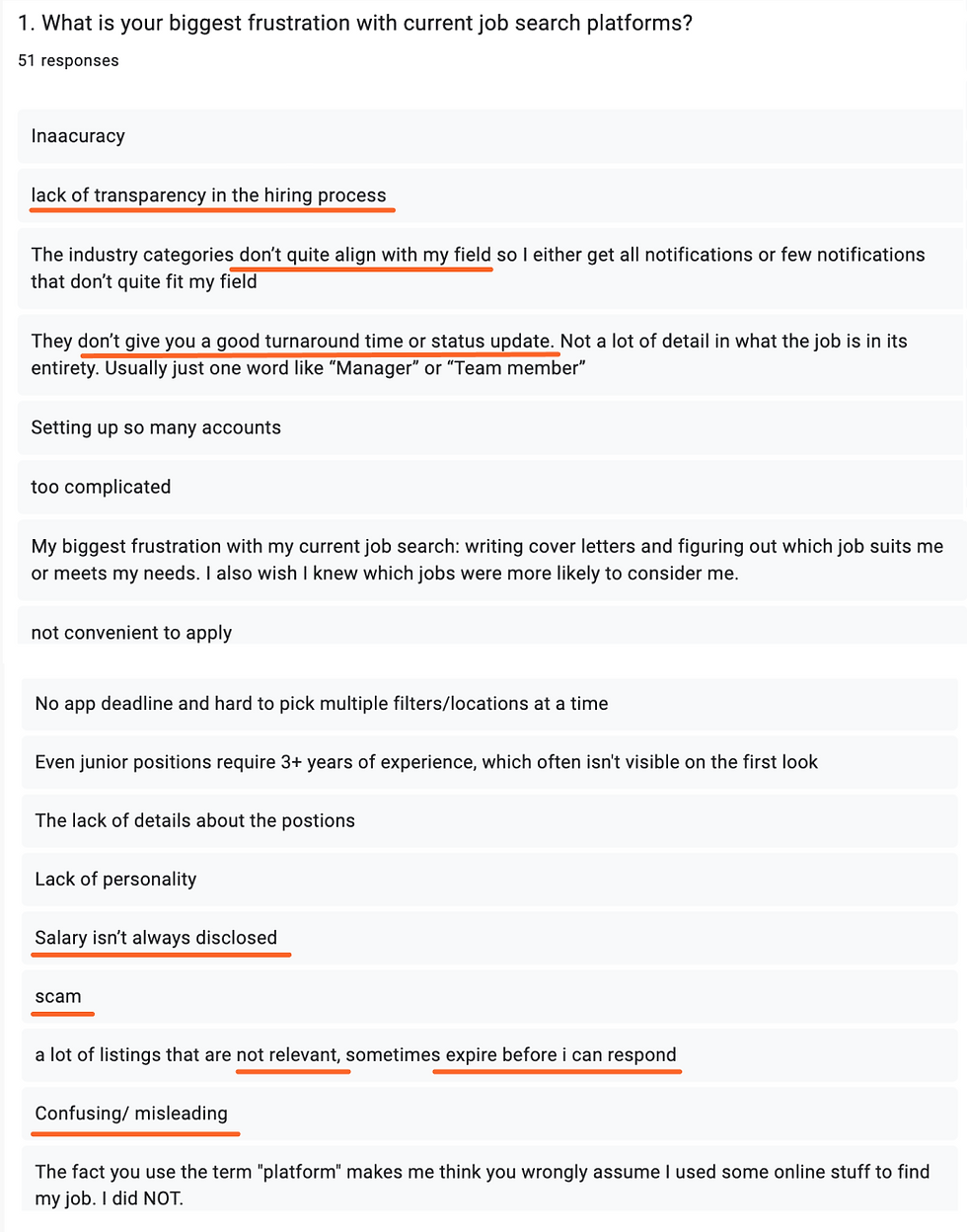
USER SURVEY CONDUCTED
We surveyed 52 people through Google Forms. Here are highlighted enlightening answers.
Q: WHAT IS YOUR BIGGEST FRUSTRATION WITH CURRENT JOB SEARCH PLATFORMS?


Q: HOW DO YOU CURRENTLY TRACK AND MANAGE YOUR JOB APPLICATIONS?

POLL GAUGING THE IMPORTANCE OF SEEING OTHER APPLICANTS' PROGRESS

POLL GAUGING THE IMPORTANCE OF SEEING JOB ANALYTICS
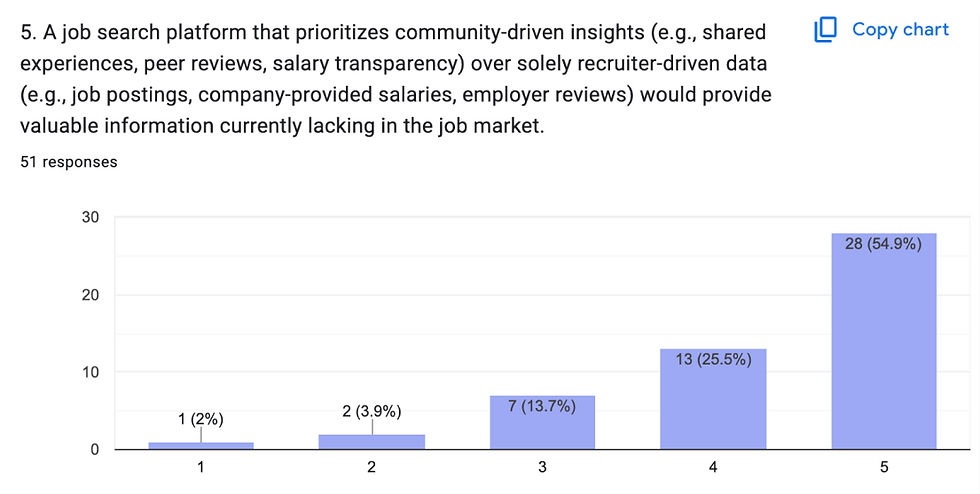
POLL GAUGING THE IMPORTANCE OF COMMUNITY INSIGHTS IN JOB SEARCHING

RANKING OF HOW IMPORTANT INFORMATION IS TO APPLICANTS


SURVEY TAKER ANALYTICS
Creating the App

TASKFLOW
Here, my team was really able to work out how exactly we could improve how we job search, and the specifics of how job search applications can work FOR the user.


WIREFRAME SKETCHES
Landing Page Ideation
Saved Jobs Page Ideation
My Applications Page Ideation

LO-FI SCREENS

MID-FI SCREENS
Design System


MINI INSIGHT BRANDING GUIDE


Video Walkthrough

Individual Screen Designs


1. HOME PAGE WITH DATA FOR THE USER
2. HOME PAGE WITH MARKET DATA


4. EXPLORE JOBS PAGE BASED ON USER
5. JOB CARD

7. APPLICATIONS PAGE

10. SELECTING JOBS TO COMPARE FROM SAVED

8. ACTIVE APPLICATION PROGRESS CARD

11. JOB COMPARISON CARD

3. SEARCH FOR DATA

6. PROFILE WHERE ALL PREFERNCES ADJUSTED

9. SAVED JOBS PAGE